Browser extension · comix.to

Save every chapter.
Read offline.

Comix Downloader adds download buttons directly to comix.to. One click grabs a whole series — zipped, foldered, and sorted. Or pick chapters one at a time.

1 click
Full series
.zip
Organized output
MIT
Open source
comix.to/title/…
Download All button on a comix.to title page
popup
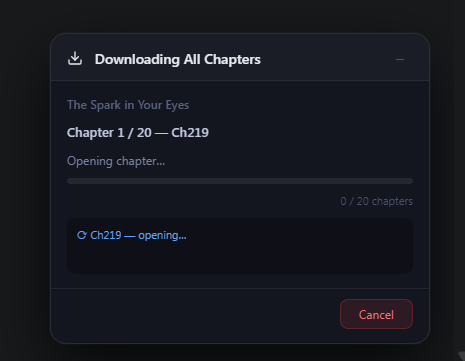
Download progress popup
1

Install & open a title

Add the extension, then visit any comix.to title page. Buttons appear automatically — no setup.

2

Download All, or one

Hit Download All for the whole series, or tap the button on any single chapter row.

3

Get a tidy ZIP

Chapters are foldered, named, and padded inside one archive. Watch progress in the popup.

Per-chapter control

Every chapter, its own button.

The extension injects a download control into each row of the chapter list, exactly where you're already looking. Grab a single update or cherry-pick a back-catalogue.

  • Inline, no extra clicks or new tabs
  • Consistent naming & numbering
  • Works on every title page
chapter list
Per-chapter download buttons

Reading on Android?

Add the Mihon source for native offline downloads, or run the extension as-is in Kiwi Browser. Both walked through in the docs.

Android setup →